
Introduction
The Click Report provides detailed information on the actual number of redirects generated for each keyword or SubID. This report helps users monitor traffic activity, evaluate keyword or SubID performance, and make informed adjustments to improve campaign outcomes.
User Interface
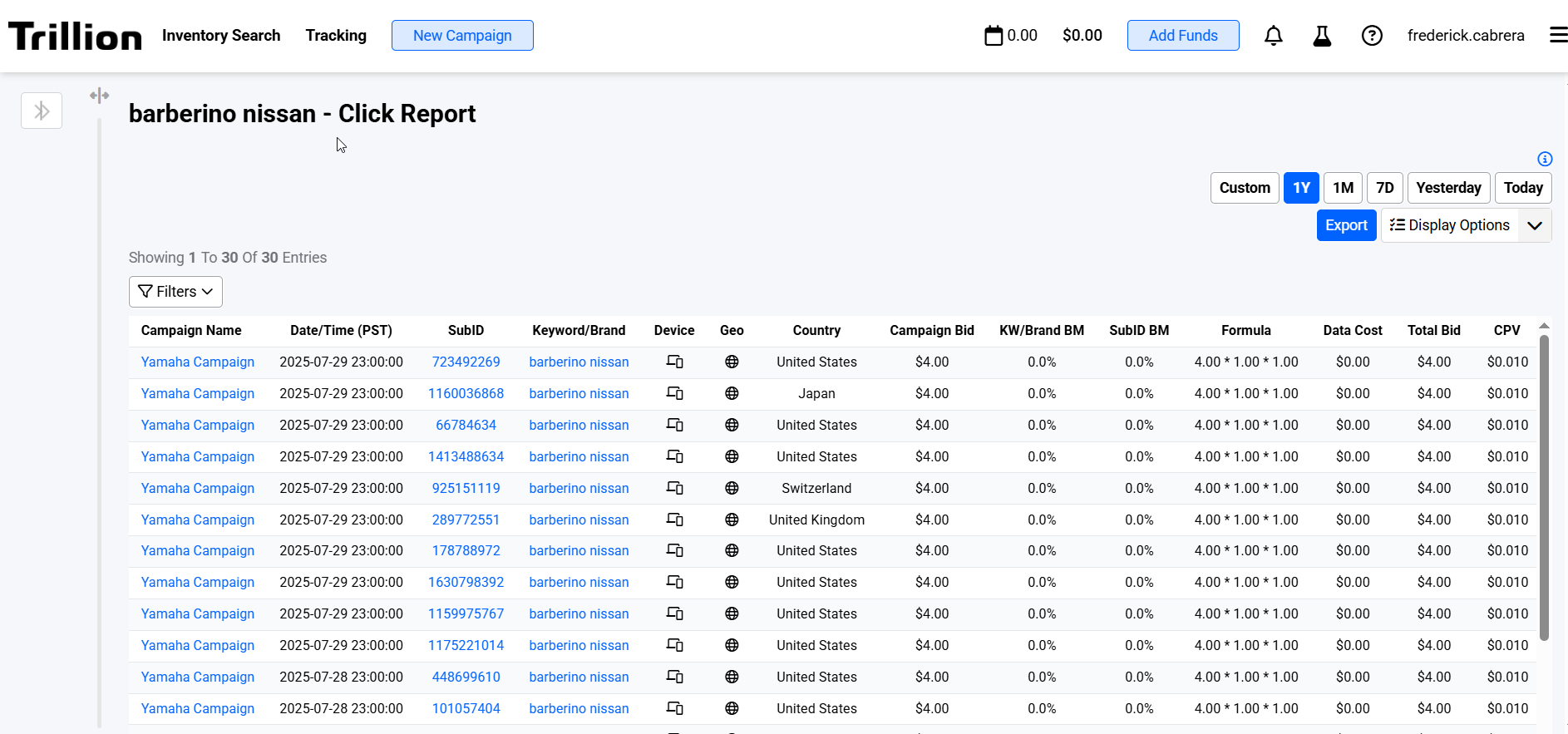 Image 1. Shows the Click Report for a Keyword
 Image 2. Shows the Click Report for a SubId
Features
| Feature | Description |
|---|---|
| Export |
|
| Filters and Sorting |
|
Columns
| Column name | Data type | Filter type | Description |
|---|---|---|---|
| Campaign name | Text | List | Campaign name in which the keyword or SubID is included |
| Date/Time | Text | List | Timestamp when the actual redirect happened |
| Campaign Bid | Numeric | Range | Campaign bid when the actual redirect happened |
| Keyword/Brand | Text | List | Keyword or brand name of the selected SubID or the keyword itself |
| Device | Text | List | Device targeting of the keyword |
| Geo | Text | List | Geo targeting of the keyword |
| KW/Brand BM | Numeric | Range | Keyword modifier when the actual redirect happened |
| SubID | Text | List | SubID of the selected keyword or the SubID itself |
| SubID BM | Numeric | Range | SubID modifier when the actual redirect happened |
| Formula | Text | List | Visual computation of all modifiers involved |
| Remarketing | Text | List | Remarketing status when the actual redirect happened |
| CPV | Numeric | Range | Total cost per visit |
| Total Bid | Numeric | Range | Total bid after applying all the bid modifiers available |
| Target URL | Text | List | The actual URL used to redirect to |