
Introduction
The Keyword Page provides a centralized view of all keywords associated with a specific campaign. It displays key data and performance statistics, enabling users to track, analyze, and optimize keyword performance effectively. With detailed metrics and insights, this page serves as a vital tool for managing campaigns and improving keyword strategies.
User Interface
 Image 1. Shows the Keyword Report landing page
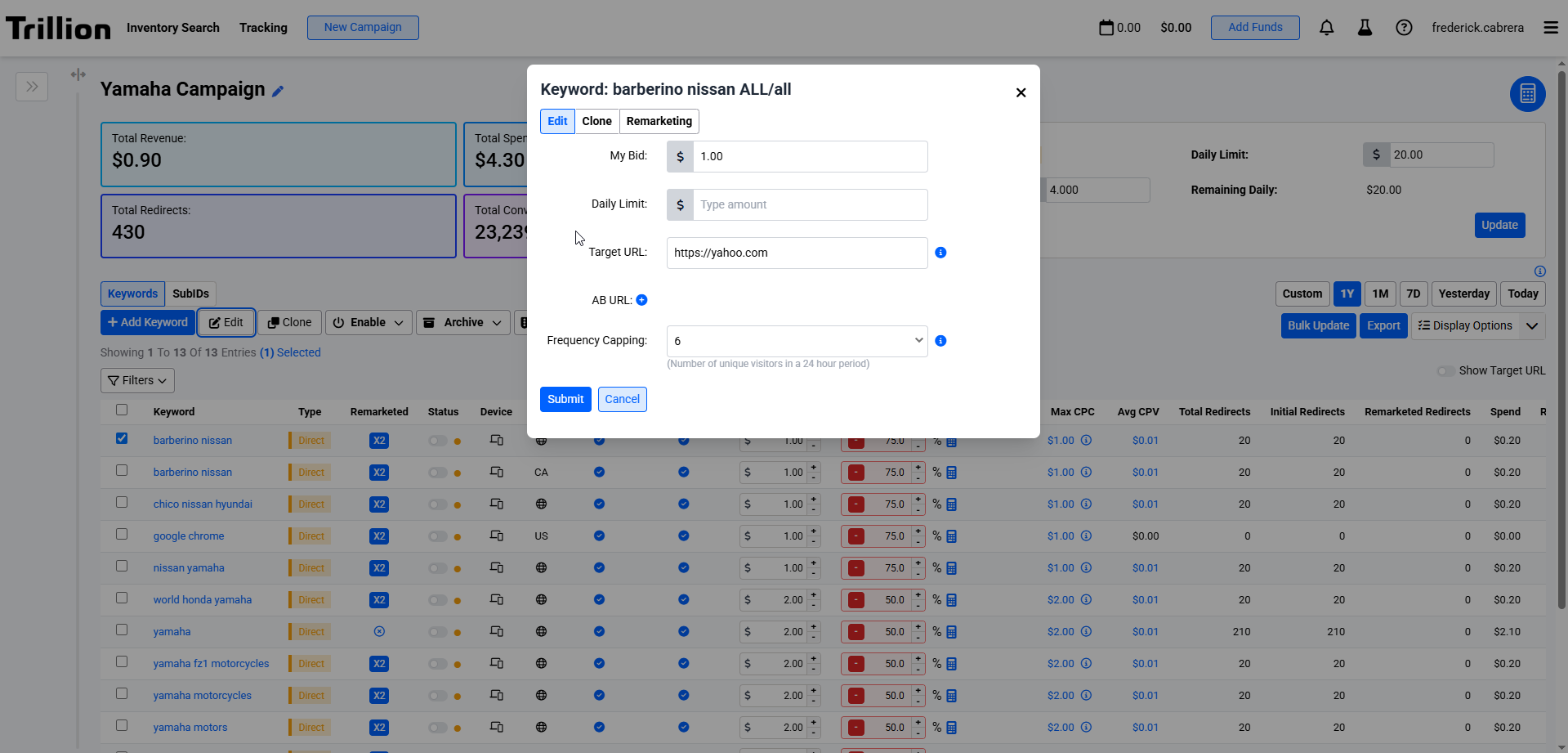 Image 2. Shows the Edit Modal Interface
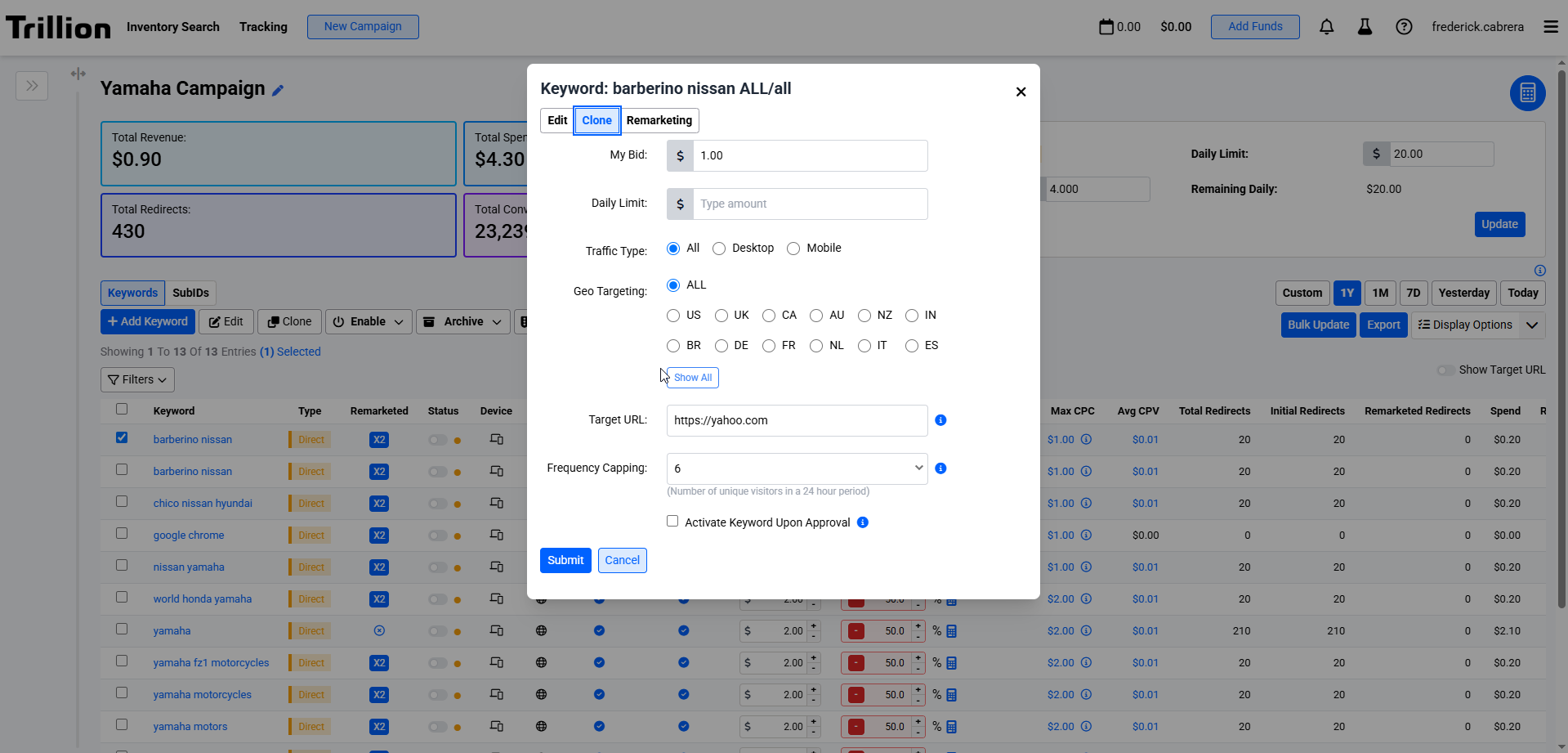 Image 3. Shows the Clone Modal Interface
Image 4. Shows the Enable user interface
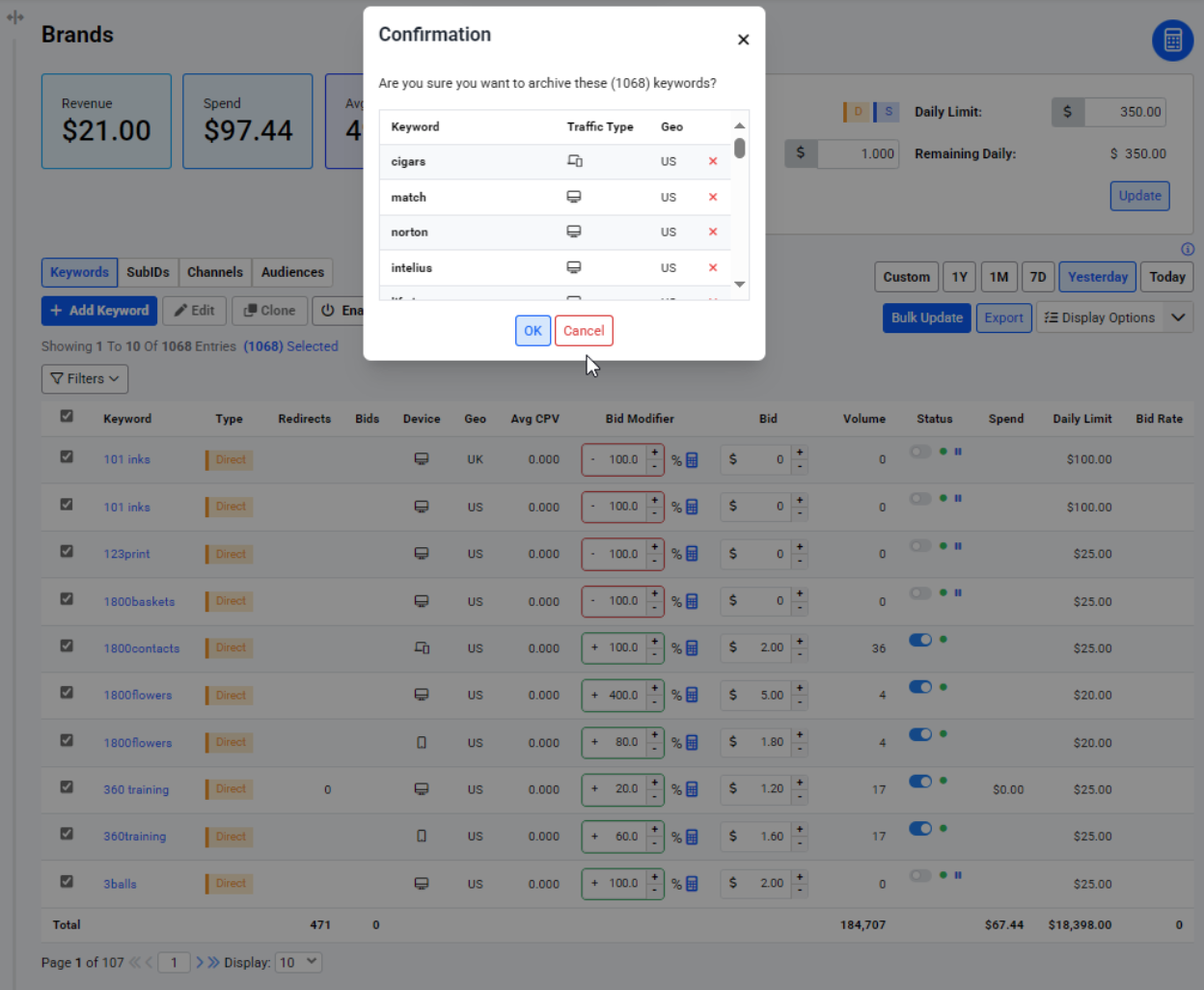
Image 5. Shows the Archive user interface
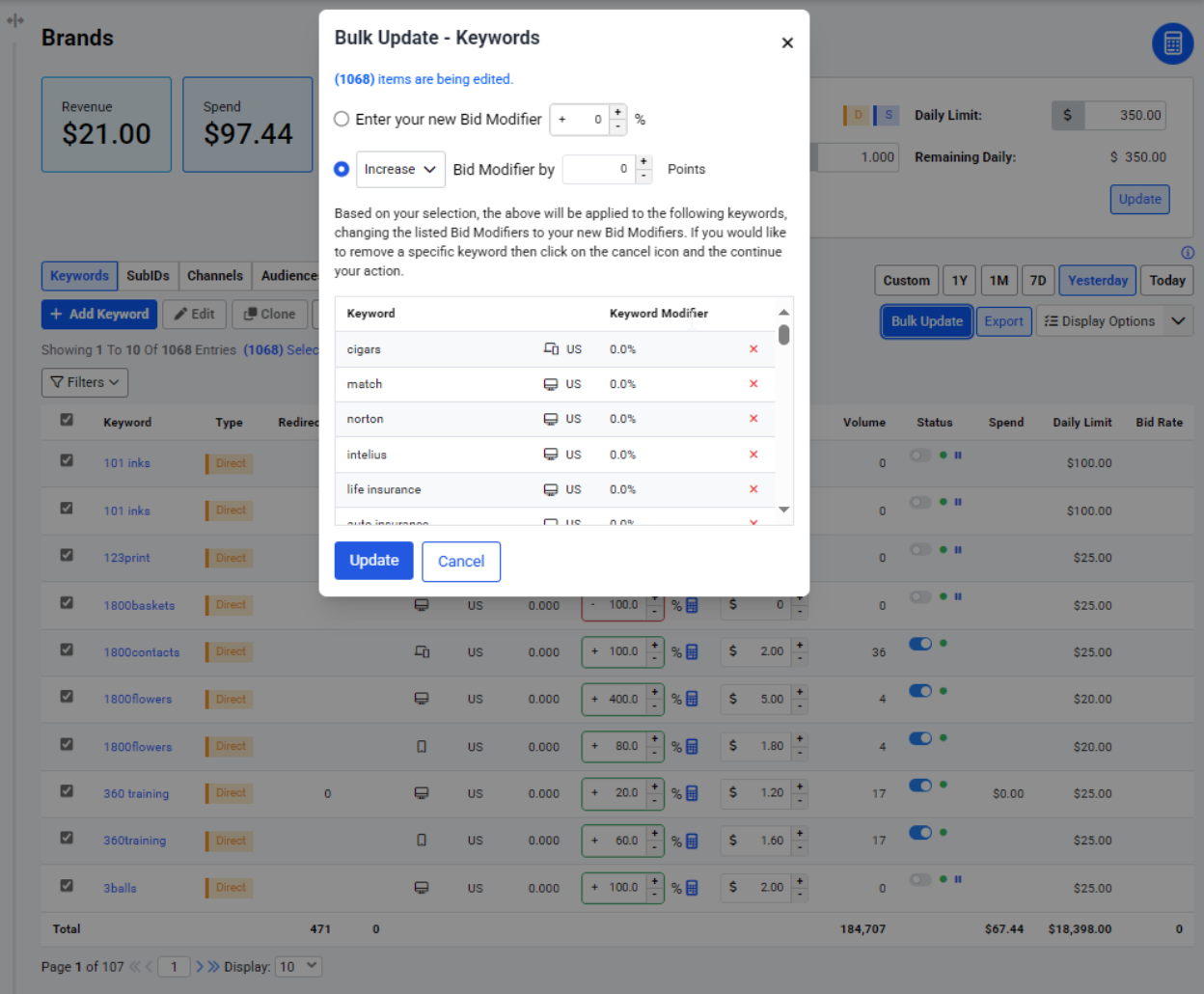
Image 6. Shows the Bulk Update user interface
Features
| Feature | Description |
|---|---|
| Add Keyword |
|
| Edit |
|
| Clone |
|
| Enable |
|
| Archive |
|
| Bulk Update |
|
| Export |
|
| Filters and Sorting |
|
| Bid Modifier |
|
Columns
| Column name | Data type | Filter type | Description |
|---|---|---|---|
| Keyword | Text | List | The keyword set by the user during campaign creation or adding new keyword. |
| Type | Text | List | The campaign type set by the user during campaign creation. |
| Redirects | Numeric | Range | Total number of redirects per keyword. |
| Bids | Numeric | Range | The total number of bids the user has made for the campaign. Currently available only for suggest. |
| Device | Text | List | The device targeting set by user during campaign creation or adding new keyword. |
| Geo | Text | List | The geo targeting set by user during campaign creation or adding new keyword |
| Avg CPV | Numeric | Range | The average cost per visit. |
| Bid Modifier | Numeric | Range | Percentage increase or decrease in the dollar bid. |
| Bid | Numeric | Range | Computed amount based on the bid modifier percentage otherwise, it equals to campaign bid. |
| Volume | Numeric | Range | Estimated volume of the keyword. |
| Status | Text | List | Current status of the keyword. |
| Spend | Numeric | Range | Total cost for the keyword. |
| Daily Limit | Numeric | Range | The daily limit for the campaign assigned by the user. |
| Bid Rate | Numeric | Range | The bid rate % of the campaign. Note that this is currently supported only for suggest. Direct keywords are not included in the aggregated total and if the campaign contains only direct keywords, it will be blank. Computed as bids / requests * 100 |
| Win Rate | Numeric | Range | The win rate % of the keyword. Currently available only for suggest |
| CVR % | Numeric | Range | Conversion Rate. Haven't decided yet whether or not to include remarketed visitors |
| Conversion | Numeric | Range | The number of visitors that spent money on the advertiser's website. |
| CPA | Numeric | Range | Cost per Acquisition. This is how much the user paid for each conversion. Haven't decided yet whether or not to include remarketed visitors |
| Revenue | Numeric | Range | The amount of money earned from a visitor's click. |
| EPC | Numeric | Range | Earnings per click. Calculated as user_roi (Revenue) / real_user_visitors (Redirects) |
| ROAS | Numeric | Return on Ad Spends. Advertiser wants to know how much they earn from what they spend. Something Like profit margin. calculated as Revenue / SpendIdeally > 1, otherwise the advertiser is losing money |