
New Campaign Page
The New Campaign page allows the user to create a campaign (folder) as well as immediately add keywords to it.
These are typically the same forms on the old UI but with an enhanced interface and validation implemented. This form handles three campaign type, the Suggest, the Keyword and the Run of Network (RON).
Campaign Type
There are several types of "campaigns" that the user can run.
- Campaign Type Dropdown:
- Trillion Suggest
- Trillion Direct Keyword
- Trillion Direct RON
Direct Types:
- Keyword: Targeting is based on a given keyword. This allows the advertiser to target specific type of traffic related to the given keyword.
- Run of Network: Traffic received for RON segments aren't tied to a particular keyword. With these type of campaigns, it might be harder to receive the specific type of traffic the advertiser wants.
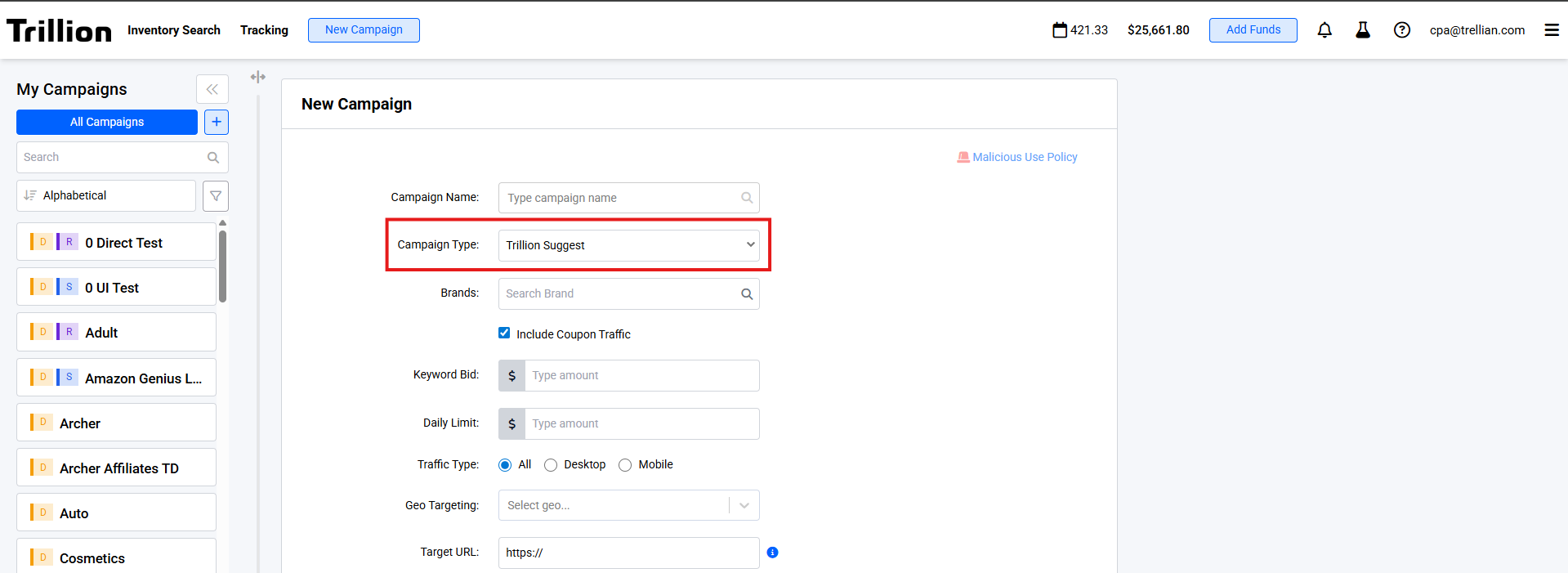 Shows the Campaign type dropdown in the New Campaign page
| Field Name | Validation |
|---|---|
| Campaign Name |
|
| Campaign Type |
|
| Traffic Type |
|
| Frequency Capping |
|
| Target URL |
|
| Field Name | Validation |
|---|---|
| Brands |
|
| My Bid |
|
| Geo Targeting |
|
| Field Name | Validation |
|---|---|
| Keywords |
|
| My Mid |
|
| Geo Targeting |
|
| Field Name | Validation |
|---|---|
| Country |
|
| Adult Filter |
|
| OS Targeting |
|
| My Bid |
|
New Campaign Page User Interface
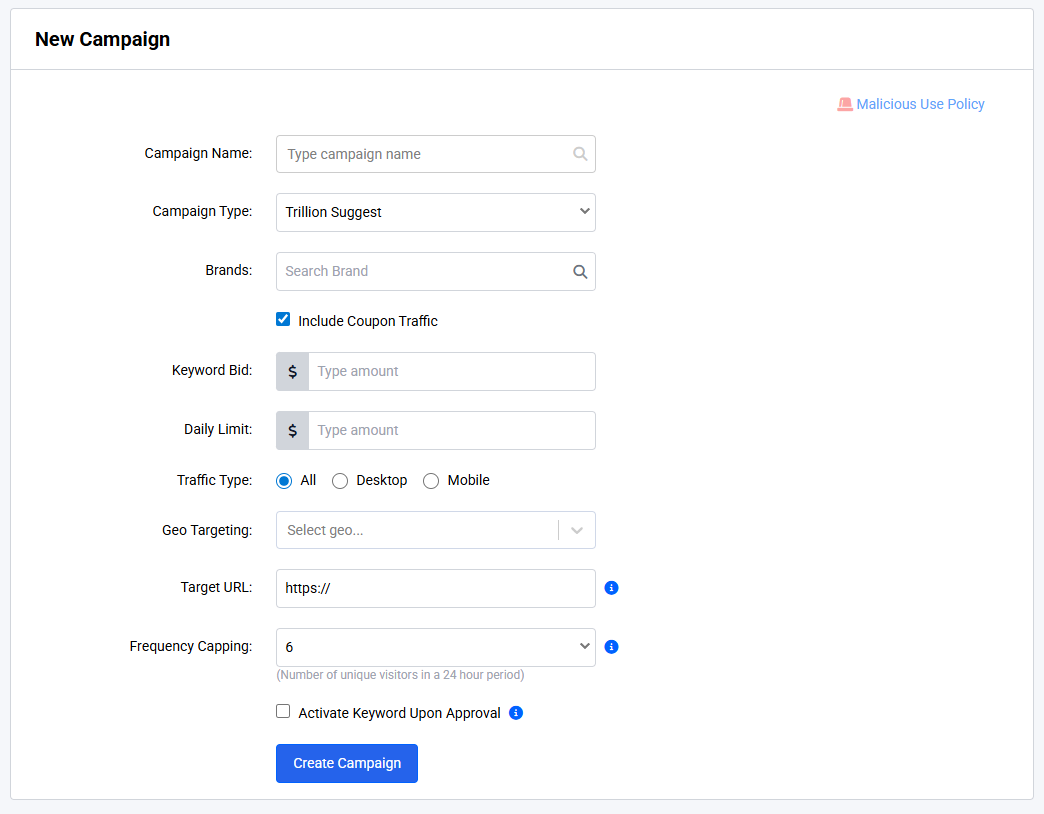 Shows the new campaign page (Suggest)
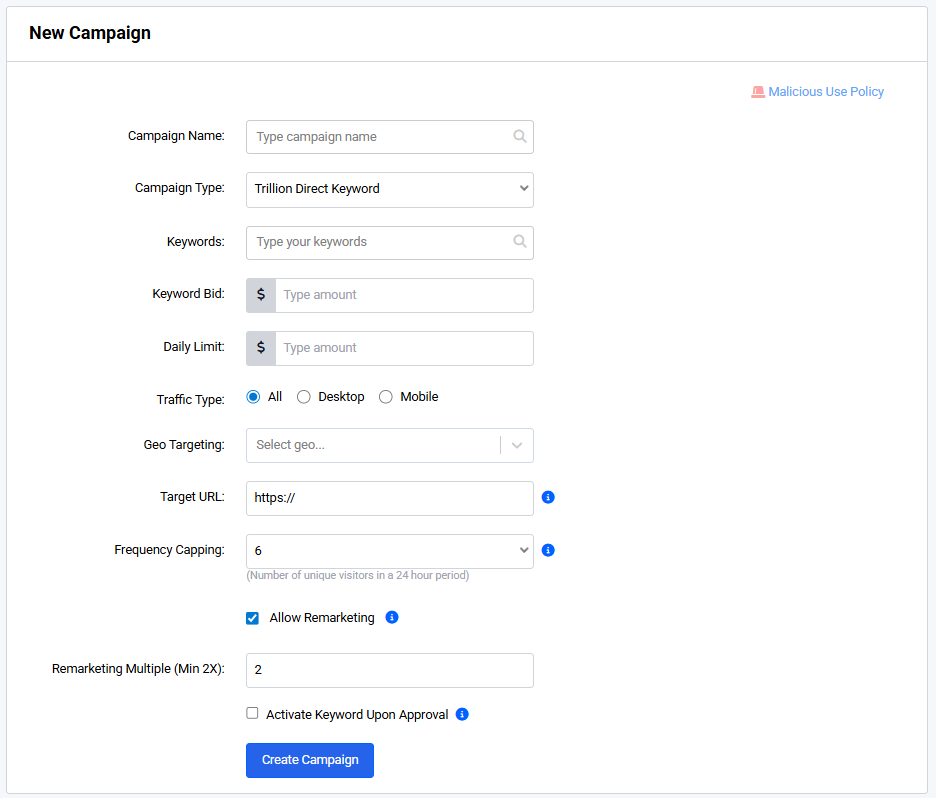 Shows the new campaign page (Trillion Direct Keyword)
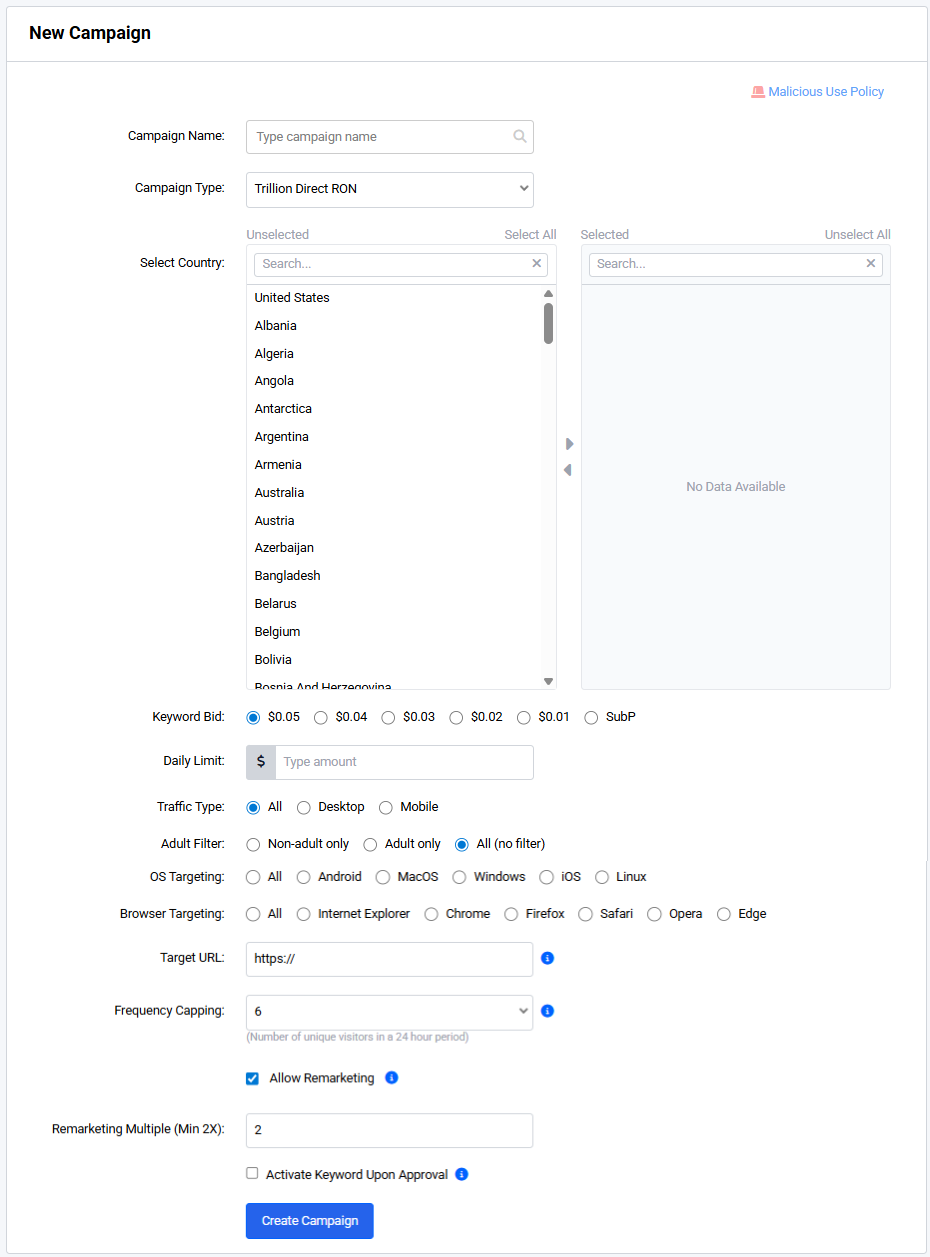 Shows the new campaign page (Trillion Direct RON ((Run of Network))
Add Keyword Page
The Add Keyword page allows the user to add a keyword to an existing campaign (folder). The campaign (folder) inherits the campaign type of the keywords assigned to it. If the campaign (folder) is empty, the user can choose a campaign type. However, upon successful form submission, the campaign type dropdown is disabled; it will be enabled again if the campaign (folder) becomes empty. This form implements the same validations as the New Campaign page.
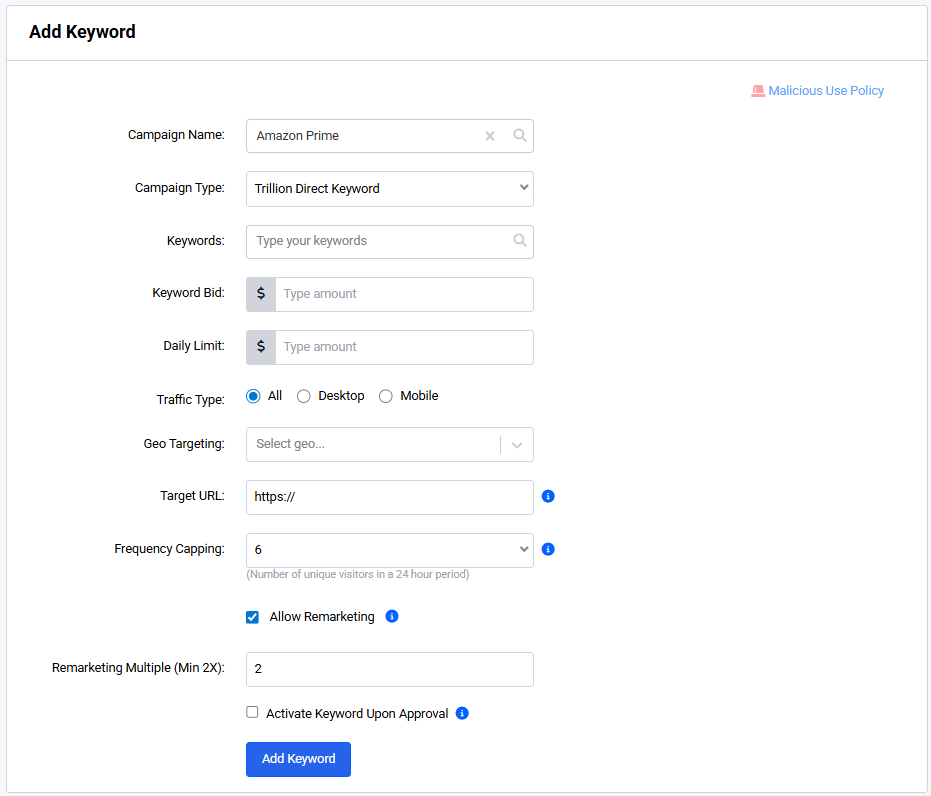 Shows the Add Keyword page for a campaign that has existing keywords
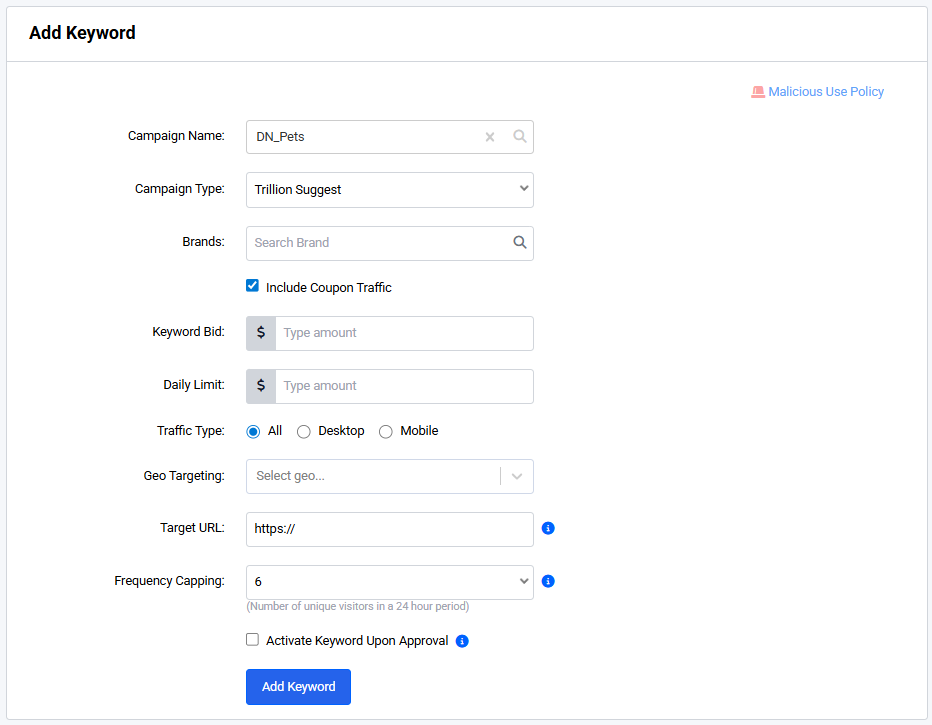 Shows the Add Keyword page for a Suggest campaign
Activate Keywords Upon Approval

The active keyword upon approval determines whether the keyword will be active and be running upon approval. If enabled, the keyword will be marked as pending after creation but the status toggle will appear as on. The user may freely switch this off if they decide otherwise that they prefer to turn it on manually themselves when the keyword has been approved.
Account restrictions
Depending on the settings set up by the account manager, limitations may apply on the user's account. For example, the Campaign Type field can allow users to select one of Direct, Suggest, Run of Network types. However, not all of these options may be directly available to the user.
If any of the options specified above isn't available on the your account, please free to contact us to coordinate which settings you may wish to have enabled.