
Introduction
The SubID Page provides an in-depth report and management interface for SubIDs within a specific campaign (folder). SubIDs represent granular data points used for tracking and optimizing keyword performance across various dimensions. Given that SubIDs are shared among many keywords and vice versa, this page offers a powerful way to analyze and adjust SubID modifiers, ensuring more precise control over bidding strategies. With advanced filtering, data visualization, and modification features, the SubID Page empowers users to make data-driven decisions and maximize the effectiveness of their campaigns.
Note that subids are made visible only if they have won from the given subids within the selected report date range.
User Interface
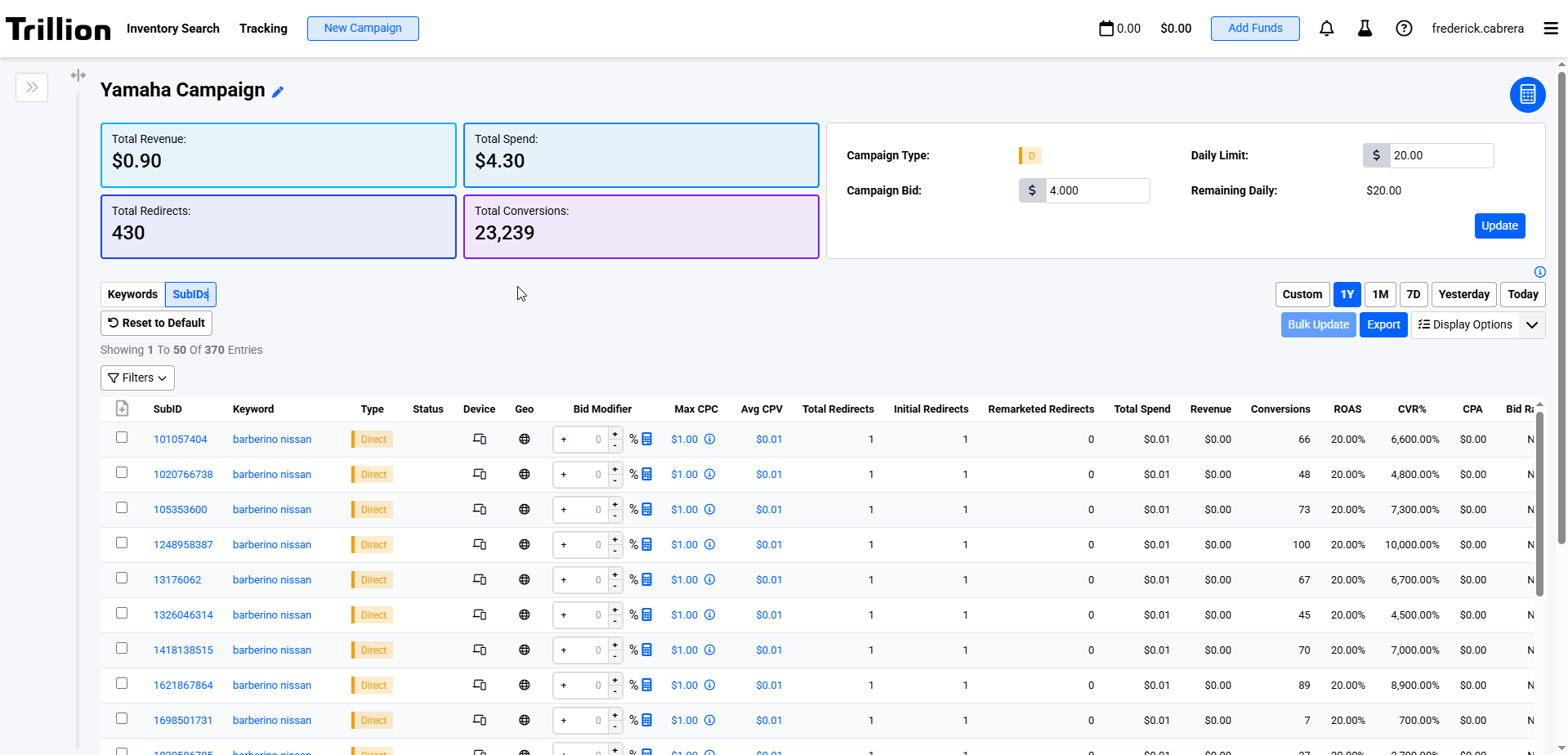 Image 1. Shows the SubId Report landing page
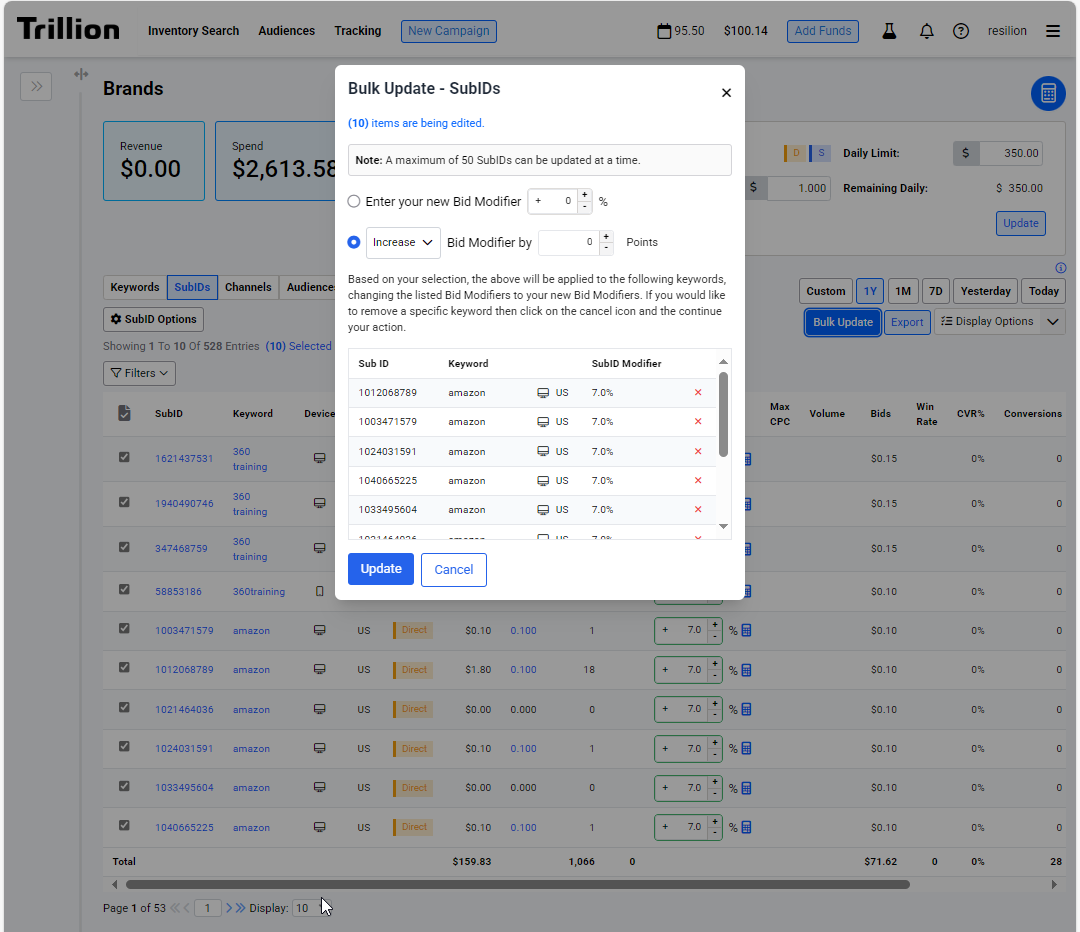 Image 2. Shows the Bulk Update user interface
When initially accessed for a particular date range, the SubId report has to be generated in the background. This is mainly due to the amount of data we're processing this report from.
The SubId Report is regenerated every 45 minutes to ensure that the data is up to date.
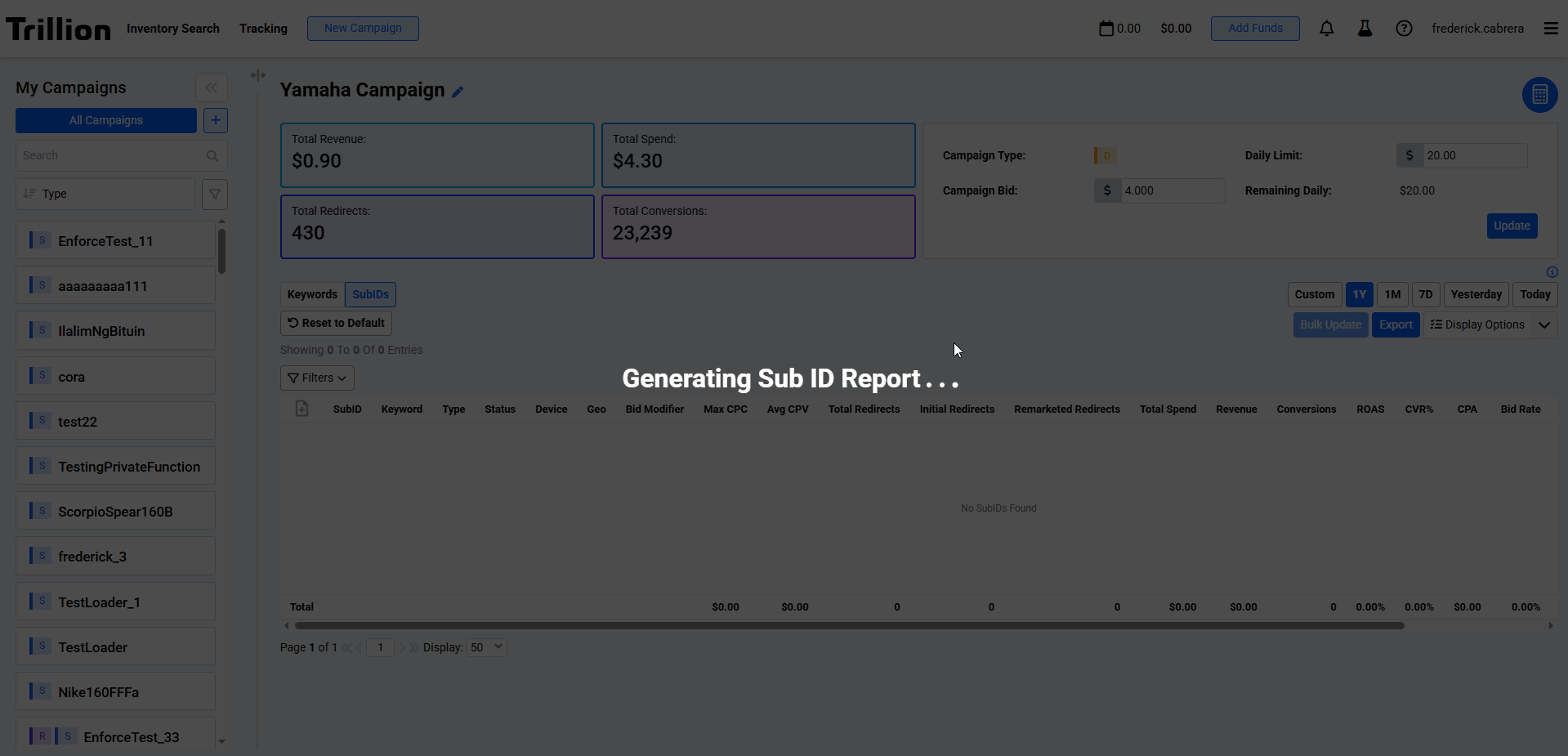 Image 3. Shows the loading screen when generating SubId Report
Features
| Feature | Description |
|---|---|
| Bulk Update |
|
| Export |
|
| Filters and Sorting |
|
| Bid Modifier |
|
Columns
| Column name | Data type | Filter type | Description |
|---|---|---|---|
| SubID | Text | List | This is a system generated value depending on the keywords campaign type. Suggest SubID start with the letter s followed by a random 10 digit number, while Direct SubID is a random 9-10 digit number. |
| Keyword | Text | List | Keyword name related to the SubID |
| Device | Text | List | Device targeting of the related Keyword |
| Geo | Text | List | Geo targeting of the related Keyword |
| Type | Text | List | Campaign type of the related Keyword |
| Total Spend | Numeric | Range | Total cost for the SubID |
| Avg CPV | Numeric | Range | The average cost per visit |
| Redirect | Numeric | Range | Total of redirects per SubID |
| Bid Rate | Numeric | Range | The bid rate % of the campaign. Note that this is currently supported only for suggest. Direct keywords are not included in the aggregated total and if the campaign contains only direct keywords, it will be blank. Computed as bids / requests * 100 |
| Bid Modifier | Numeric | Range | Percentage increase or decrease in the dollar bid. |
| Max CPC | Numeric | Range | Maximum cost per click |
| Volume | Numeric | Range | Estimated volume of the SubID |
| Bids | Numeric | Range | The total number of bids the user has made for the campaign. Currently available only for suggest. |
| Win Rate | Numeric | Range | The win rate % of the keyword. Currently available only for suggest |
| CVR % | Numeric | Range | Conversion rate |
| Conversion | Numeric | Range | The number of visitors that spent money on the advertiser's website. |
| CPA | Numeric | Range | Cost per Acquisition. This is how much the user paid for each conversion. |
| Revenue | Numeric | Range | The amount of money visitors spent on the advertiser's website. |
| ROAS | Numeric | Range | Return on Advertising Spend. Advertiser wants to know how much they earn from what they spend. Something Like profit margin. calculated as Revenue / SpendIdeally > 1, otherwise the advertiser is losing money. |