
Note: This is currently available only for Direct Campaigns
Overview
Traffic Opportunities is a feature in the SubID Report that can help you identify domains with potential for increased traffic and revenue that have not yet received any redirects within the reporting period. This feature analyzes your existing campaigns and keywords and shows domains that could be beneficial for you as additional bidding or optimization.
How it Works
The system scans your keywords under a specific campaign and identifies domains that:
- Have Traffic Data: Domains with recent visitor stats
- Meet Servability Checks: Properly configured for traffic monetization
- Show Growth Potential: Currently underutilized but have potential
- Match your campaign settings: Aligned with your geo and device targeting
Best Practices for Using Traffic Opportunities:
- Start with Minimum Bids: Use the suggested minimum bid as your starting point if available
- Monitor Performance: Track results for at least 1-2 weeks before making adjustments
- Regular Review: Check for new opportunities regularly to maximize potential
- Quality over Quantity: Focus on domains that align with your campaign goals
- Budget Consideration: Factor in your overall campaign budget when adding new domains
Accessing Traffic Opportunities
Step 1: Navigate to SubID Report
- Got to your dashboard and select a campaign
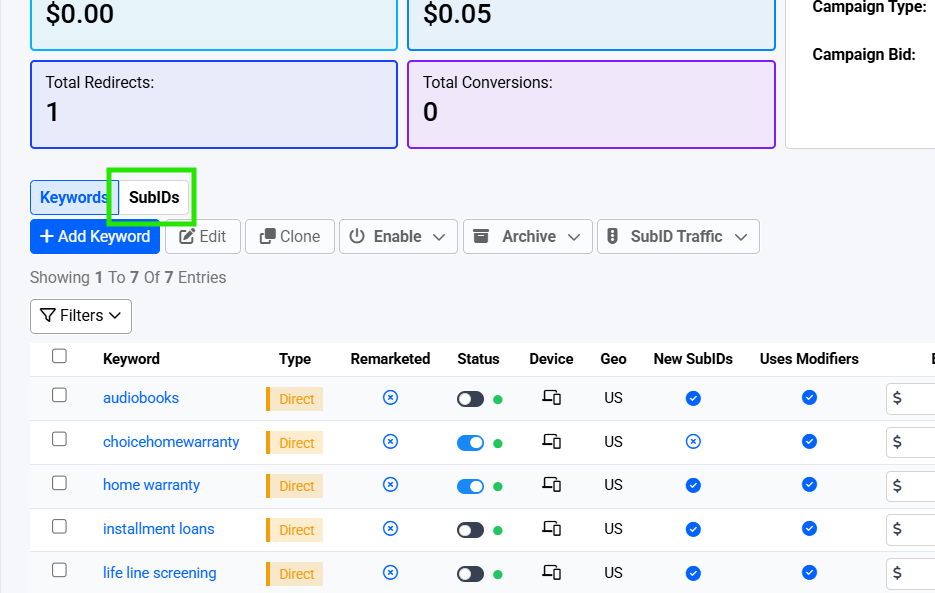
- Select SubIDs from the Keywords or SubIDs options tab
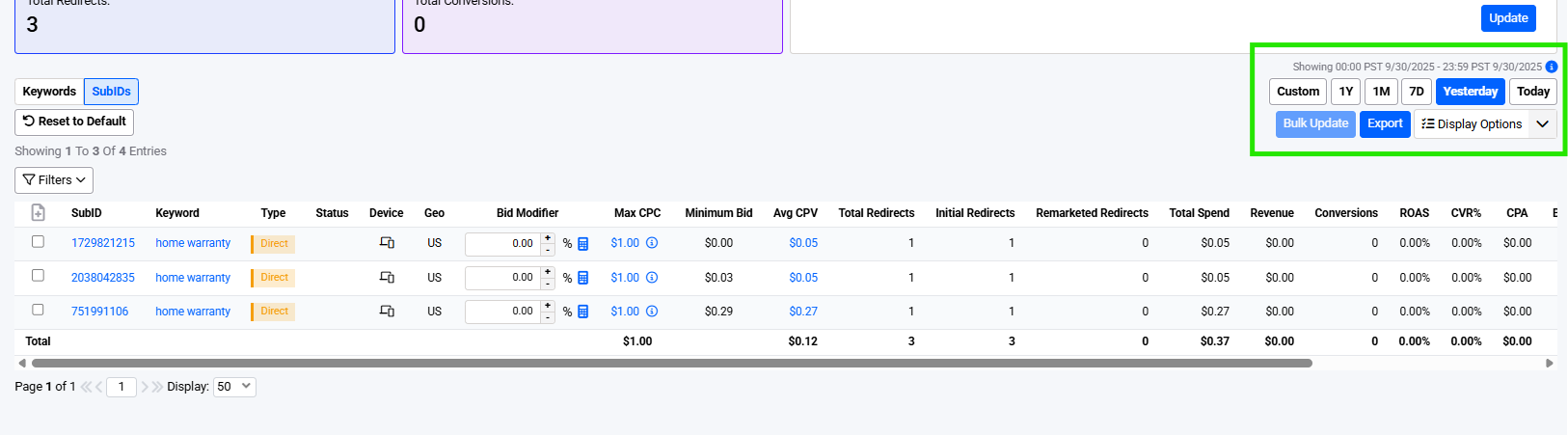
- Wait for the system to generate the SubID report after which you can choose your desired date range
Step 2: Enable Traffic Opportunities
- In the SubID Report interface, look for the Filters dropdown and look for the "Traffic Opportunities" option
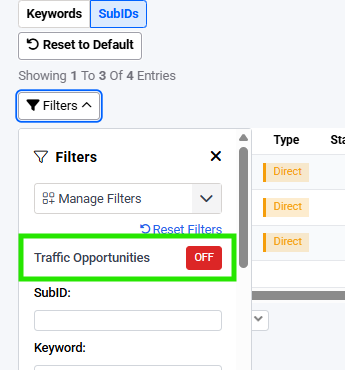
- Toggle this feature ON to see potential domains
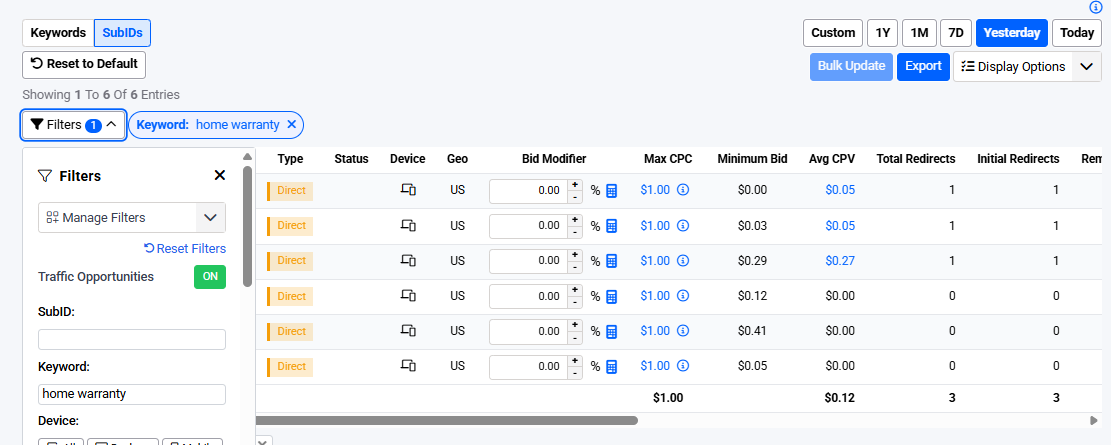
- The system will generate a SubID report and display the opportunities
Step 3: Review Opportunities
The system will display:
- Domain Name: The suggested domain
- SubID: Unique identifier
- Minimum Bid: Recommended starting bid amount
Troubleshooting
No Traffic Opportunities Filter Visible
- Contact Support: If you don't see the Traffic Opportunities toggle in the Filters dropdown, contact support or your account manager for help
- Check Campaign Type: Ensure you're using a Direct Campaign (feature is not available for other campaign types currently)
No Opportunities Found
If you don't see any traffic opportunities:
- Check Date Range: Ensure you're viewing recent data
- Verify Campaign Settings: Confirm your geo and device targeting
System Performance Issues
- Processing Time: Traffic opportunities are calculated in real-time and may take a few seconds for large campaigns
- Data Freshness: Results are based on the most recent 7-day traffic data
- Refresh if Needed: If results seem outdated, try refreshing the page or adjusting the date range